Auto assigning Facebook leads means connecting your Facebook Lead Ads form directly to a CRM. The CRM then routes every new lead to a sales rep the moment it arrives. It can do this through round robin, a rules based system, or manual triage, depending on how your team is set up. Salesgem does this by capturing each lead as it comes in. It assigns the lead automatically, so no one has to go looking for it.
I have spent more than ten years sitting inside sales team Slack channels and shared Meta inboxes. I have watched how Facebook leads actually get handled once they land. The pattern repeats across clinics, solar companies, and education brands alike. The ad spend works. The leads show up. Then they sit.
An unassigned lead is an unowned lead. An unowned lead is a lost lead. I have watched that chain play out often enough to build this guide around it.
If you have not connected Facebook Lead Ads to a CRM yet, start there. See a CRM built for Facebook Lead Ads before you worry about assignment rules. Once the leads are flowing into one place, assignment is the next problem to solve.
Three ways to assign Facebook leads
There are three practical ways to get a new lead to the right rep. Which one fits depends almost entirely on team size and how specialized your reps are.
Round robin
Round robin distributes new leads evenly across the team. Rep one gets lead one, rep two gets lead two, and so on. It works well for teams of three to ten reps doing similar work. Any rep on a team like that can close any lead that comes in. It also stops one rep from picking the best looking leads. Someone else then works through whatever is left.
Rules based assignment
Rules based assignment routes a lead according to a condition you set in advance. That condition is usually location, product or service, or lead source. A solar company might route a lead to whichever installer covers that homeowner’s zip code. A clinic might route a hair transplant inquiry to the specialist who handles that procedure. A skin treatment inquiry goes to someone else entirely. Rules based routing fits teams where reps specialize. It becomes necessary once a business operates across more than one location or product line. You can see how the routing options work in practice on the lead management page.
Manual triage
Manual triage means a manager or senior rep reviews each lead before deciding who gets it. It fits very small teams, often one or two reps. It also fits a business selling something complex or valuable enough that a human should vet the lead first. The tradeoff is speed. Every lead now waits on one person’s availability. That is the exact problem automation solves once a team grows past the size where manual review is realistic.
Most teams outgrow manual triage faster than they expect. The real question is not which method is best. It is which method matches your team today, and how soon you will need to switch.
When nobody owns the lead
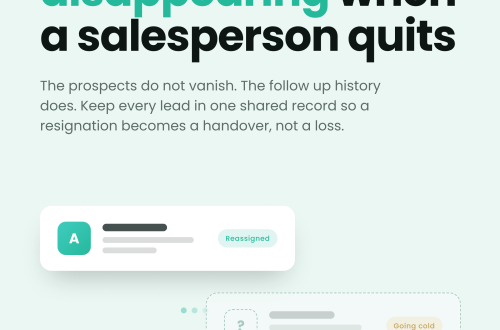
I have managed sales teams where a shared Meta inbox started organized and rarely stayed that way. Senior reps picked the most promising leads first. Newer reps worked through whatever remained. More than once, two reps called the same prospect within an hour of each other. Meanwhile a third lead sat untouched for most of a day. When results dropped that month, nobody could point to where the breakdown happened. Nobody owned any single lead long enough to be responsible for it.
That was the lesson. Lead assignment cannot depend on who checks the inbox first. A CRM with automatic assignment solves this. It captures each Facebook lead as it arrives. It assigns the lead to a rep through round robin rules, then records ownership and follow up activity from that point forward. A manager can see who received each lead and how fast they responded. They can also see which leads still need attention, without asking anyone to report in.
Routing leads by location, service, and shift
A different version of the same problem shows up with after hours leads and multi location businesses. A clinic might receive a hair transplant inquiry at nine at night. That inquiry needs to reach a specific specialist, not whoever opens the inbox the next morning. A solar company needs to send a homeowner’s lead to the installer who covers that area. A rep three states away is no use. Sending every lead into the same spreadsheet makes things worse, not better. It adds another layer of delay on top of the one you are trying to fix.
The same pattern shows up in education and coaching businesses during enrollment season. One counselor might be fielding leads for five different course batches at once. Without routing rules, a lead for a beginner cohort and a lead for an advanced one land in the same queue. The team works them in whatever order they opened, not the order that actually matters.
The fix is connecting Facebook Lead Ads directly to a CRM. Set routing rules based on location, service, lead intent, or rep availability. After hours leads can queue for the next available shift instead of disappearing into an inbox nobody checks until morning. Automated notifications, follow up reminders, and a clear record of who received what lead, and when, prevent the three failures I see most often. Those are missed leads, duplicate calls, and arguments over whose lead it was.
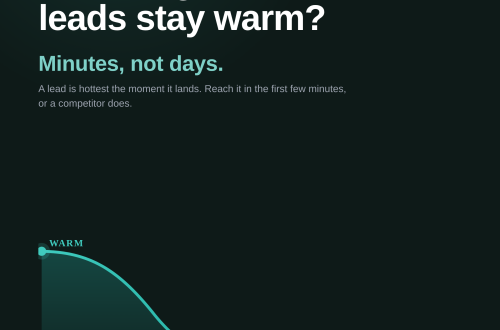
Auto assignment solves who gets the lead. It does not solve how fast a rep responds once they have it. That is a separate problem. I have written about why Facebook lead response time matters, and about what happens when Facebook leads go cold.
What I tell teams before they set this up
If you take one thing from this, make it this. Automation gets the lead to the right person. CRM visibility makes sure someone actually follows up. Both matter. Neither works alone.
Before a team sets up auto assignment, I tell them to do three things. Connect the Facebook Lead Ads form directly to a CRM for Facebook Lead Ads. That way leads stop landing somewhere someone has to check manually. Define assignment rules before you need them. Round robin works if your reps are interchangeable. Rules based assignment fits if they specialize. Manual triage makes sense only if the team is small enough for one person to review every lead.. Then track every lead from the moment it arrives to the moment someone makes contact. That way, when something breaks, you can see exactly where.
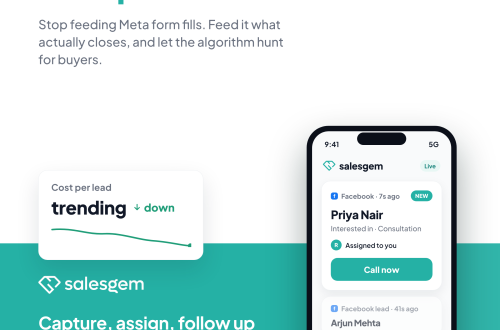
Salesgem connects directly to your Facebook and Instagram Lead Ads. It assigns each lead automatically and logs the full trail from submission to first contact. Sign up to see it running against your own ad account. No credit card needed, a 14 day free trial, and free support and migration if you move off a spreadsheet.
Frequently asked questions
Auto assigning Facebook leads means a CRM sends each new lead from your Facebook or Instagram Lead Ads form straight to a specific sales rep automatically. Nobody has to check an inbox or export a spreadsheet by hand. The assignment happens through a rule you set in advance, such as round robin or routing by location.
For a team of three to ten reps doing similar work, round robin usually works best. It distributes leads evenly and prevents cherry picking. Once reps specialize by location, product, or service, rules based assignment becomes the better fit, even for a small team.
A CRM with automated assignment can route after hours leads into a queue for the next available shift. That beats leaving them in an inbox until someone checks it the next morning. This keeps the lead on record and ready to work the moment someone is available. It is not lost in the gap between shifts.
Assigning ownership the moment a lead arrives, rather than leaving it in a shared inbox, is what prevents duplicate calls. Once the CRM assigns a lead to one rep, it records that rep as the owner. A second rep working the same list can then see the lead is already claimed.
Yes, in practice you do. Facebook Lead Ads alone has no routing logic of its own. It can notify you or export data to a spreadsheet. It cannot assign a lead to a specific rep based on a rule. A CRM connected to your Lead Ads form is what adds that layer.