I have spent more years helping sales teams fix one problem. Leads arrive, but nobody works them. Almost every team I meet starts with Meta Lead Center, because it is free and already sitting inside their account. So here is what I tell them. Meta Lead Center is where leads land. A real CRM is where leads turn into sales. That gap is what you are missing, and it costs more than the ads do.
Most of these teams only start searching for a proper crm for facebook lead ads after they feel the pain. They just felt it before they had a name for it.
What Meta Lead Center actually is
Meta Lead Center is a collection point inside Business Suite. You can view a lead, add a label, and download a spreadsheet. For a first campaign, that is enough to get started.
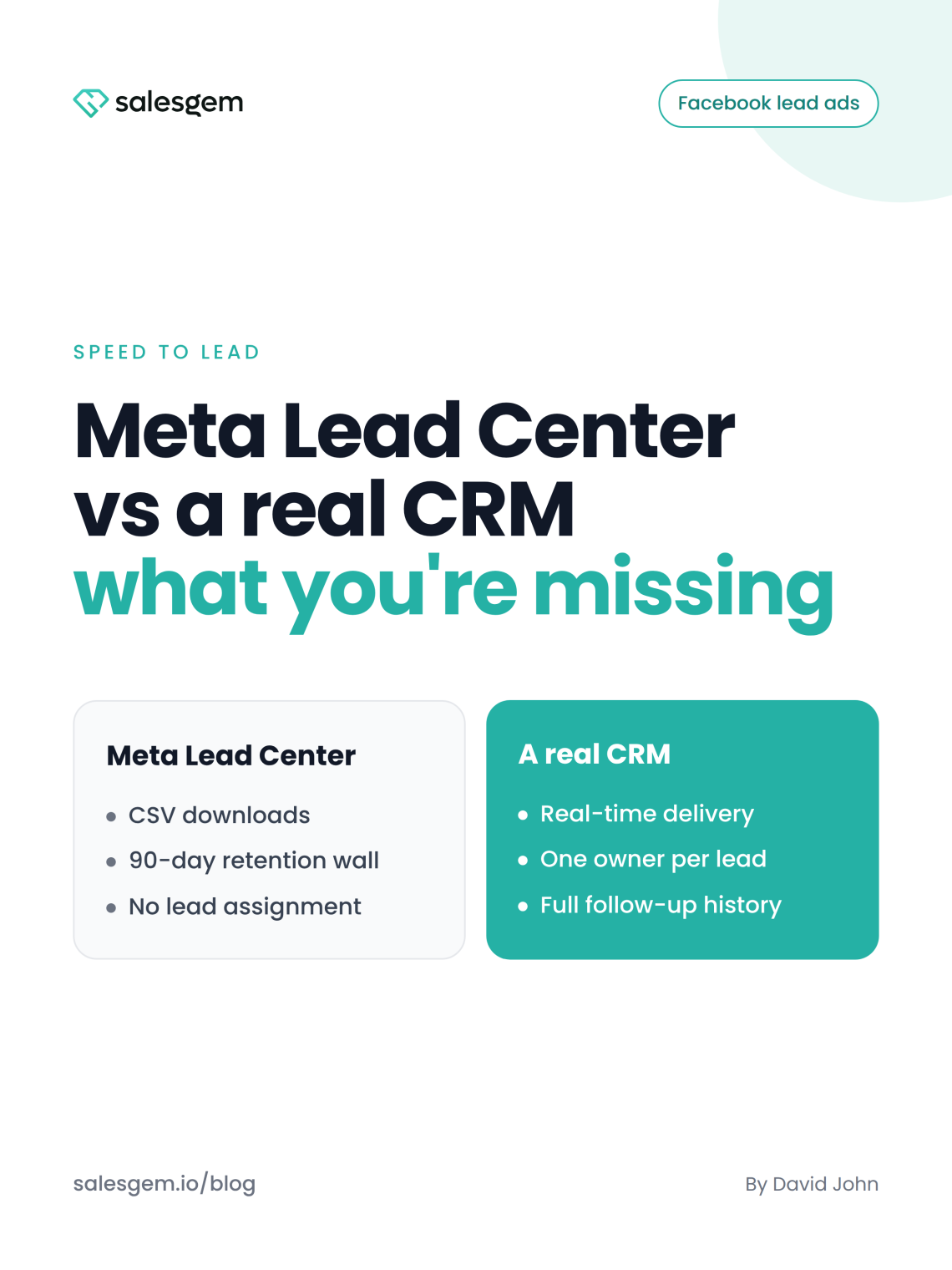
The trouble begins when the volume grows. Downloads are manual, and you export one form at a time. There is no automatic way to send a new lead to the right rep. There is no pipeline, no follow up history, and no reminder when a lead sits untouched for a day.
Then there is the wall nobody plans for. Meta only lets you download instant form leads for about 90 days. After that, the older records become unavailable, and your reporting goes with them. You end up with a tool that collects leads well, but does nothing to work them.
The real estate team that lost a lead in two hours
A few years ago I worked with a small real estate team that spent heavily on Meta ads. Every morning, the marketing manager opened Business Suite, downloaded the new leads, and sent them to sales on WhatsApp.
On paper, everything looked fine. The campaigns produced leads at a reasonable cost. The lead count rose every week.
Then one afternoon I looked at the actual timestamps. A prospect had submitted a property enquiry at 10:07 AM. The sales rep received the spreadsheet at 12:18 PM and called at 12:31 PM. By then, the prospect had already spoken to another agent.
That was the moment the problem became obvious. The ad had done its job. The form had done its job. The failure happened in the two hours between the form and the phone call.
It was not one bad case. The team called some leads at once, some hours later, and some never at all. There was no owner, no automatic assignment, and no reminder for a lead left sitting.
The team blamed Meta for sending bad leads. But once I tracked response time, the pattern was clear. Leads contacted quickly were far more likely to keep talking. The expensive part was never the cost of the lead. It was the time nobody owned it.
The education company that had data but no history
Another case has stayed with me. A multi-branch education company ran lead campaigns for different courses.
Their marketing team exported leads from Meta into separate spreadsheets. One sheet held MBA enquiries, another engineering, another the Kochi branch, another Bangalore.
Then the sales manager asked a simple question. How many Meta leads actually became students last month? Nobody could answer.
They could report how many forms came in. They could not say how many the team had contacted, how many qualified, how many were considering admission, or how many finally paid.
The same student often appeared more than once, because they had filled in different forms. Two counsellors would sometimes call the same person, neither knowing the other had already spoken to them.
I still remember opening one of their old sheets. Rows of names, numbers, course choices, and timestamps. It looked like a database, but it was not a pipeline. There was no record of conversations, no next-action date, and no note of what happened after the first call.
The manager summed it up better than I could. “We have data on every lead, but we don’t have a history of what happened to any lead.”
That line changed how I look at Meta lead generation. A lead database tells you who filled out a form. A CRM tells you what happened after they did.
The same lead, two Monday mornings
The clearest way to see the difference is to follow one lead through both systems. Here is the same enquiry, handled two ways.
| What happens | In Meta Lead Center | In a real CRM |
|---|---|---|
| Lead submits the form | It waits until someone opens Business Suite | It reaches the assigned rep in real time |
| Who owns it | Nobody, it sits in a shared pile | One rep, assigned automatically |
| First contact | After someone downloads and shares the CSV | The rep calls or messages from the lead record |
| Follow-up | Lives in someone’s memory | A next-action date with reminders |
| Duplicate enquiry | Two rows, two callers | Merged into one record |
| After 90 days | Leads and history are gone | A permanent record you can report on |
Same lead. Same ad spend. Two completely different outcomes. The difference is not the quality of the lead. It is whether the system does the work of owning it.
Why some industries feel this more than others
The pain is universal, but a few industries feel it first.
In real estate, minutes decide who wins. Agents work from their phones, and Lead Center gives them nothing useful on mobile. Whoever calls first usually gets the viewing.
In education and coaching, the problem is volume and memory. Campaigns spike, spreadsheets pile up, and one student gets two calls while another gets none.
In aesthetic and healthcare clinics, the front desk is the sales team, already busy with patients in the room. A high value consultation enquiry can sit for hours. Many of these patients would rather talk on WhatsApp than take a call.
In solar and other high ticket trades, the cycle is long and needs a site visit. Without stages and reminders, reps send quotes and then quietly forget them.
The real problem is unowned time
After enough of these projects, I stopped believing the bad leads story. In most teams the leads were fine. The leak was the time between the form and the follow up, and no system owned that time.
Meta never built Lead Center to own it. It shows you the lead. It does not chase it, assign it, or remember it. That is not a criticism of Meta. It is simply the wrong tool for the job of selling.
What I tell every team now
When a team asks me where to start, I give them the same short list.
First, measure your response time before anything else. Pull ten recent leads and check the gap between the form and the first call. The number is usually worse than anyone expects.
Second, give every lead one owner the moment it arrives. Automatic assignment ends the shared pile problem faster than any training session.
Third, track what happens after the first call. A next action date and a simple pipeline turn a list of names into a real sales process.
Fourth, get your leads off the spreadsheet and into a system built for Facebook lead ads that keeps them past 90 days. Your history is an asset, and Meta will delete it for you if you let it.
Fifth, close the loop back to Meta. When your CRM sends conversions through the facebook conversion api, Meta learns to find buyers instead of form-fillers.
This is the exact job we built Salesgem to do. It captures your Facebook and Instagram lead ads and assigns each lead to a rep in real time. Your team follows up on WhatsApp, and the full history stays in one place. If you want to see it run on your own leads, you can Sign Up and connect a Facebook page in a few minutes. No credit card needed · 14 day free trial · Free support and migration.
The advice I give has not changed in ten years. Spend less energy blaming the leads, and more energy owning the minutes right after they arrive. That is where you win deals, and it is the one thing Meta Lead Center will never do for you.
Frequently asked question
Meta Lead Center is not a CRM. It is a place inside Business Suite to view and download the leads your Facebook and Instagram forms collect.And it has no automatic assignment, no pipeline stages, and no follow-up history. It works as a first step, but a growing sales team needs a CRM to actually work the leads.
After about 90 days, Meta stops letting you download instant form leads, and the older records become unavailable. If you never exported or synced them, that data is gone for good. This is why teams move leads into a CRM early, so the full history stays on their side instead of expiring inside Meta.
Meta Lead Center cannot assign leads to specific reps. Everyone with access sees the same shared list, which is how two people end up calling the same lead while another slips through. A CRM fixes this by giving each new lead one owner automatically, the moment someone submits the form.
If you run more than a handful of leads a week, yes. Meta Lead Center shows you who filled out a form, but it does not track what happens next. A CRM assigns each lead, records every follow-up, and keeps your history past 90 days, which is where you actually win or lose conversions.